
- Account Opening
- Account Security
- Modify Account Profile
- Account Assets
- Account Restriction
- Common Account Questions
How to open a Webull Securities account
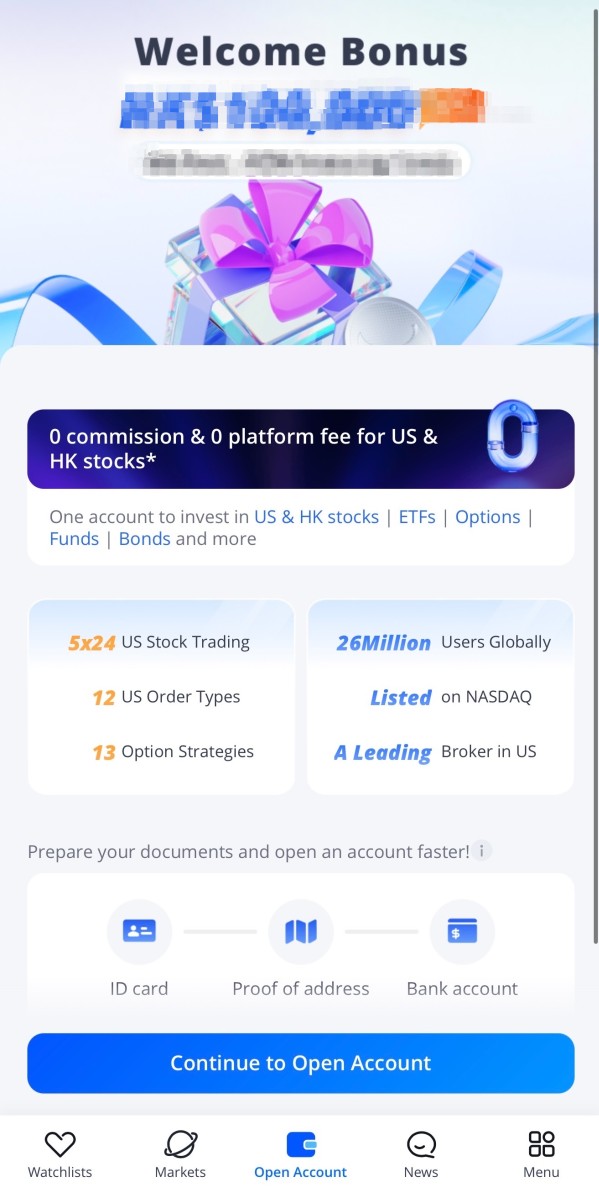
How to open a Webull Account? Step 1: Click "Open Account" on the main interface. |
 |
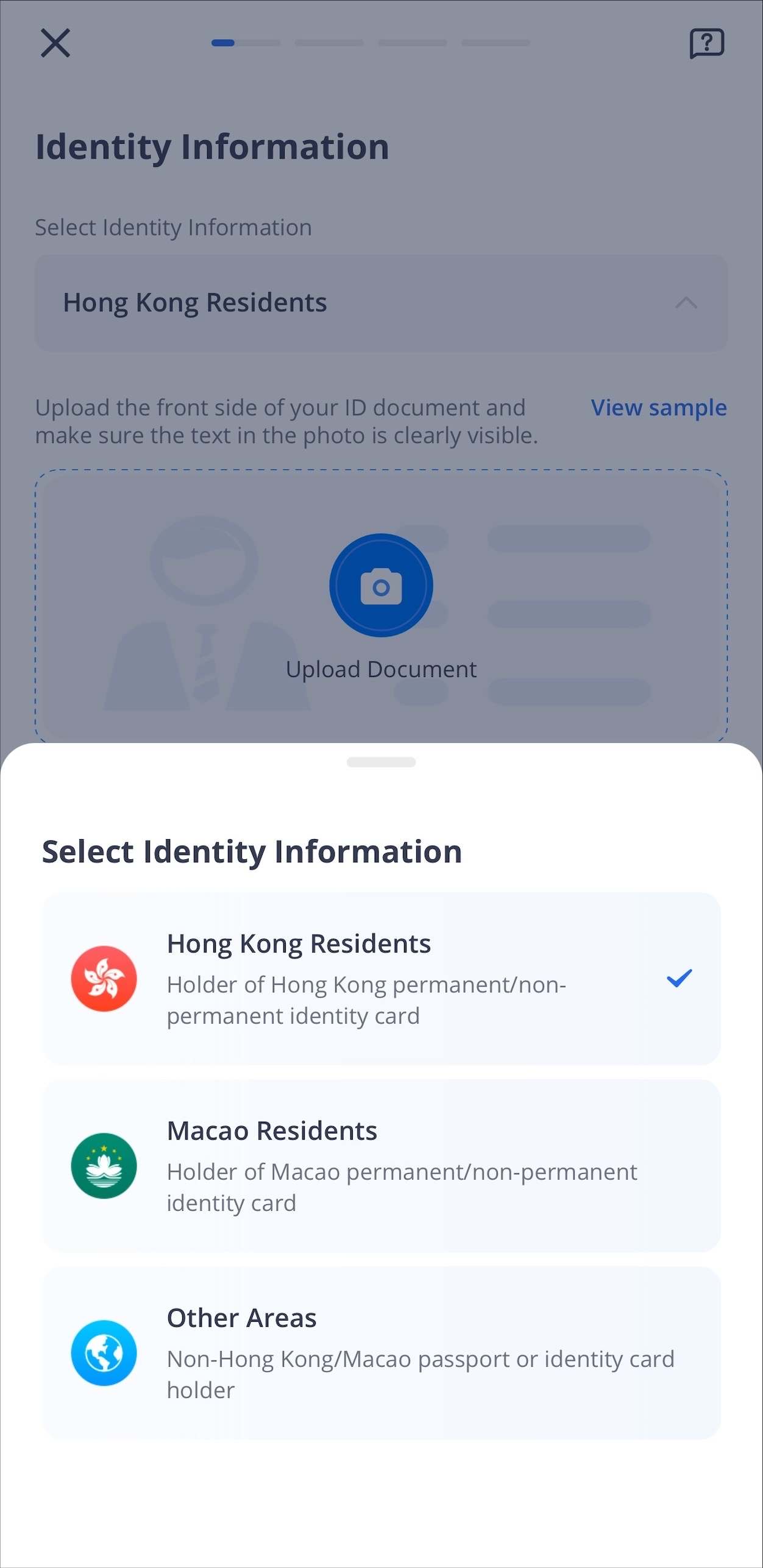
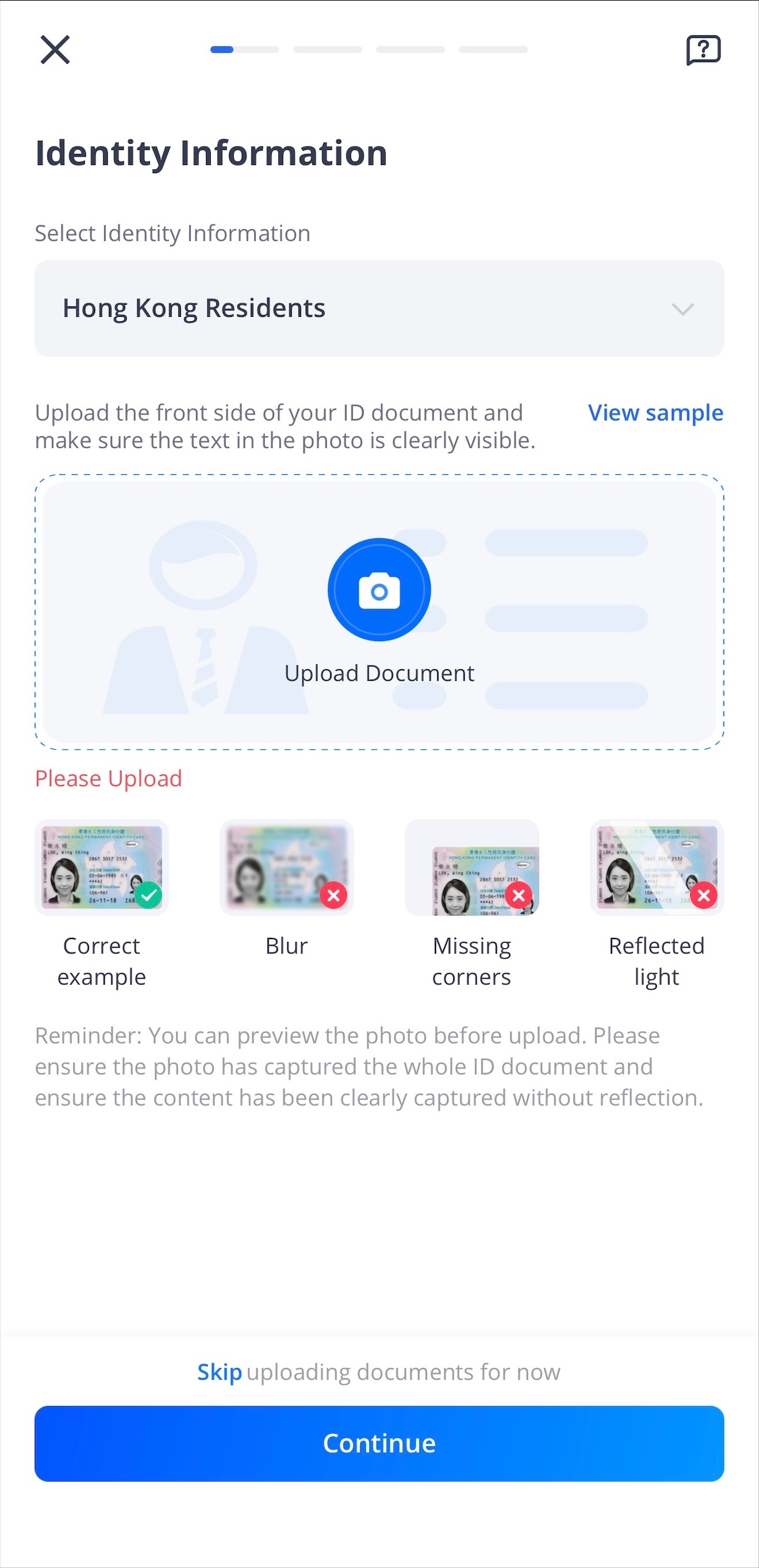
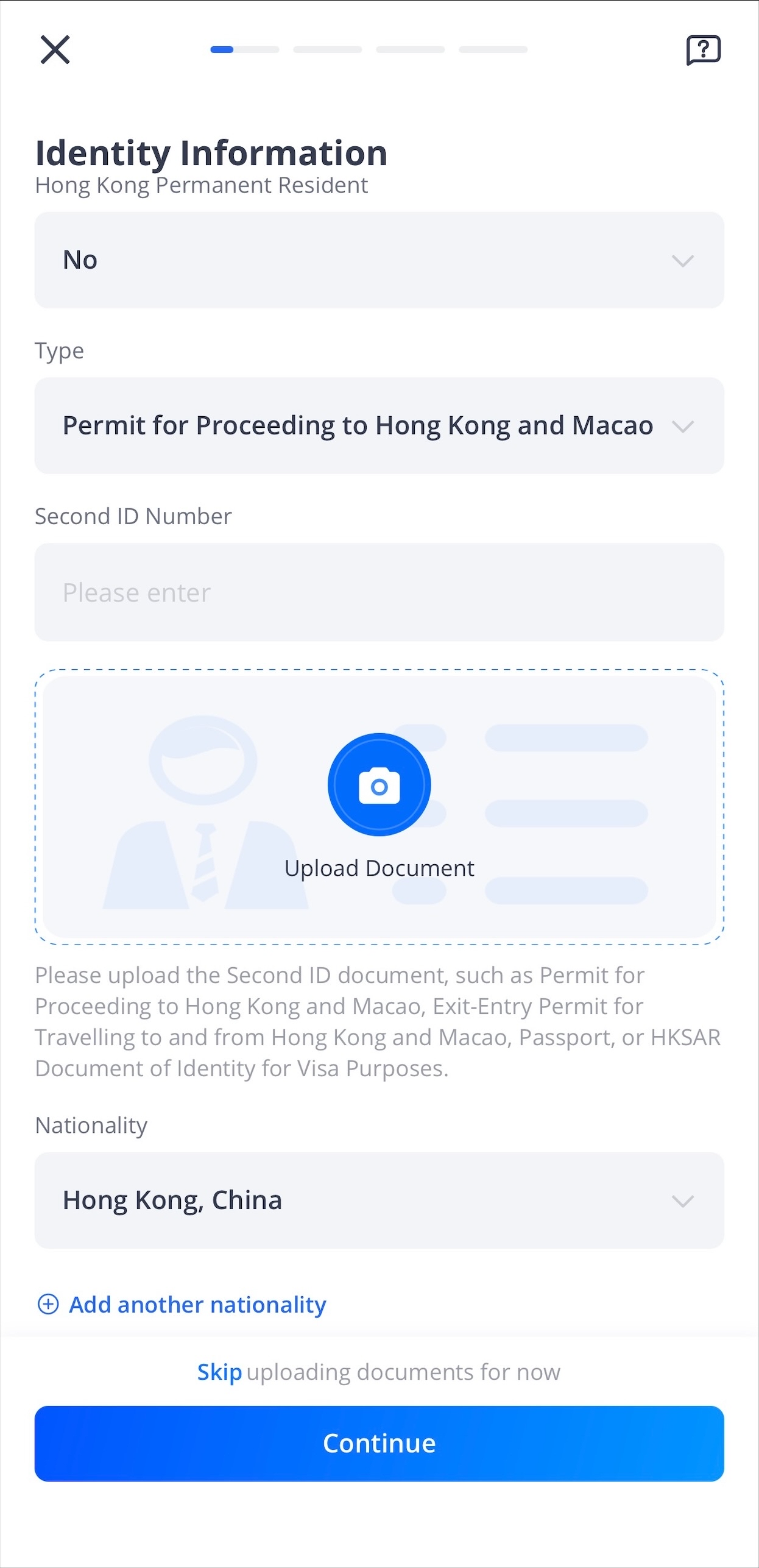
Step 2: Identity Information Select your identity information and upload the relevant ID documents. If you are not a Hong Kong permanent resident, you will be required to upload a secondary ID document. The supported second IDs are listed below.
Please note:
|
 |  |  |
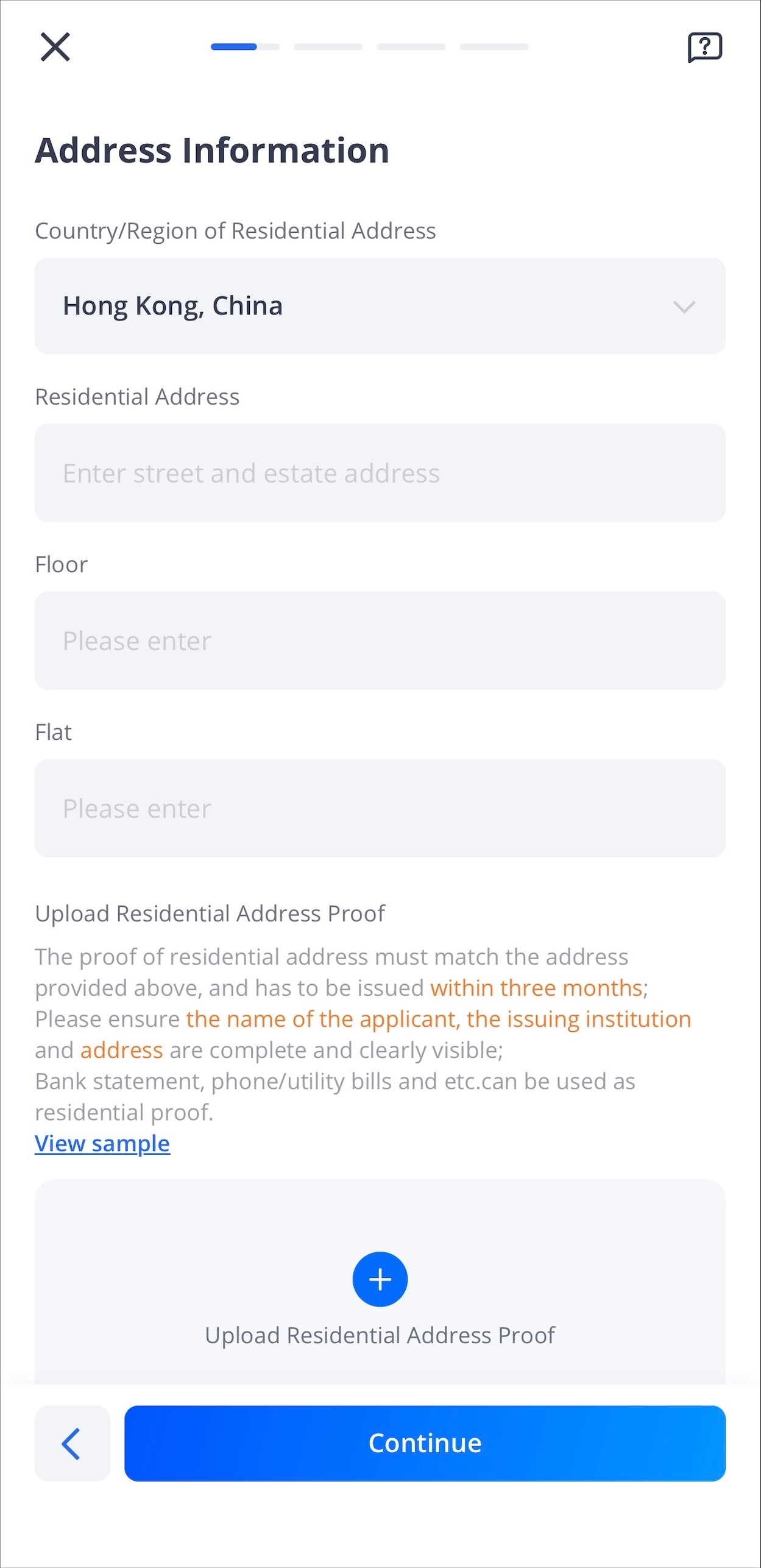
Step 3: Address Information Fill in your personal information. If you're not a Hong Kong permanent resident, please upload the second ID document for verification. Please note:
|
 |
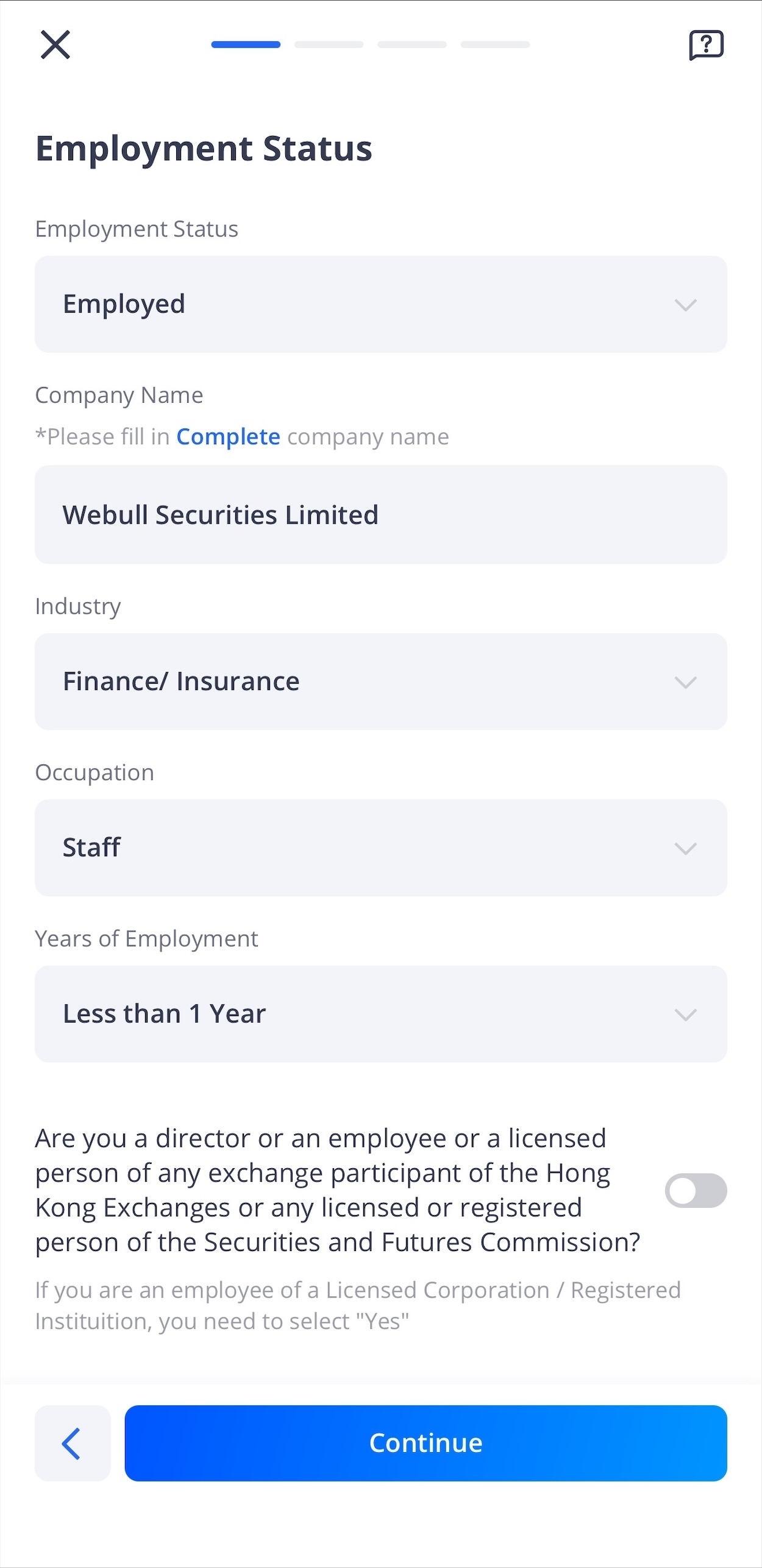
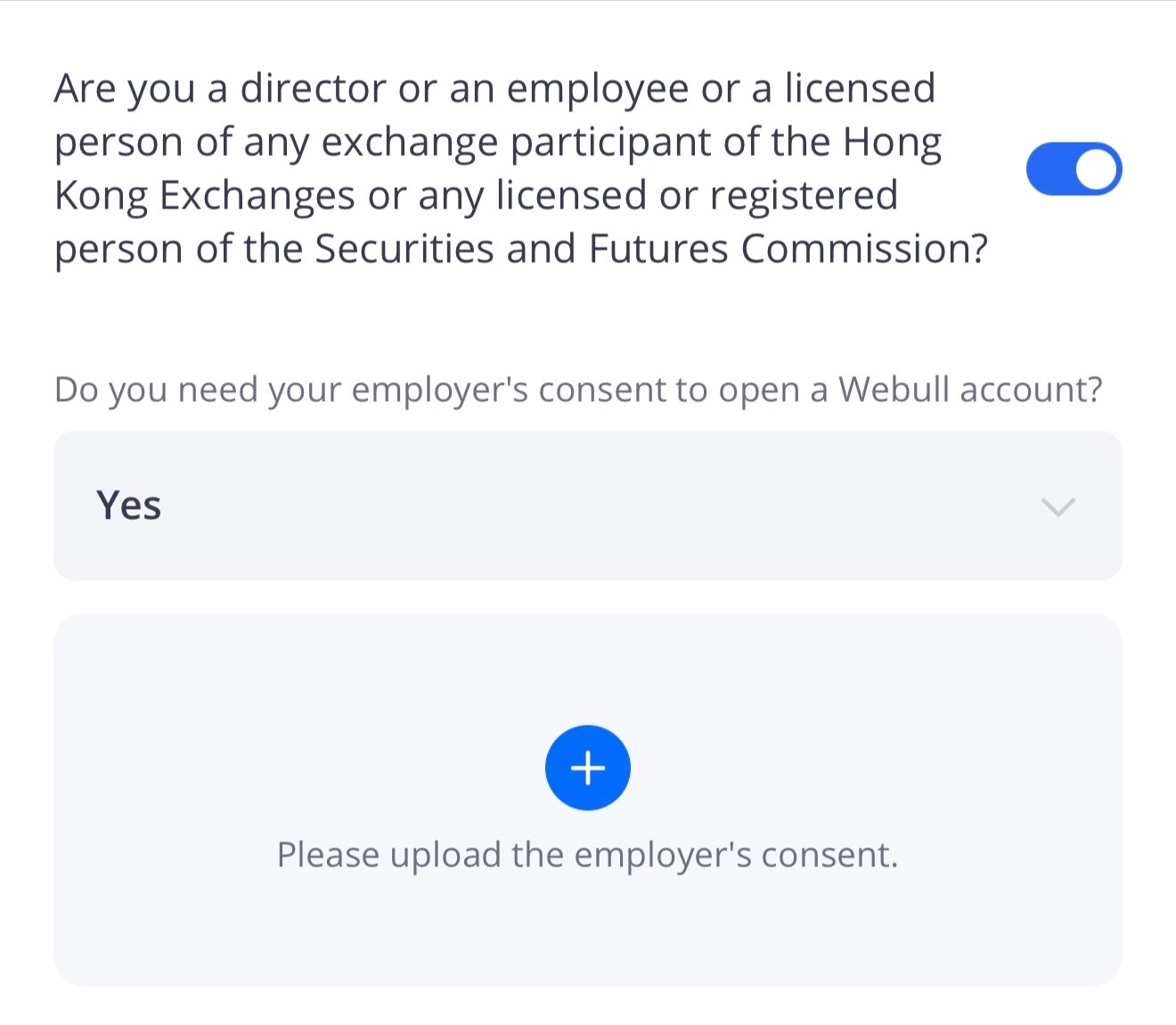
Step 4: Employment status and financial information. Fill in your employment information. If you are a director or an employee of a licensed corporation/registered institution, please select "Yes". Please confirm if you need your employer’s consent letter to open a Webull account. |
 |  |
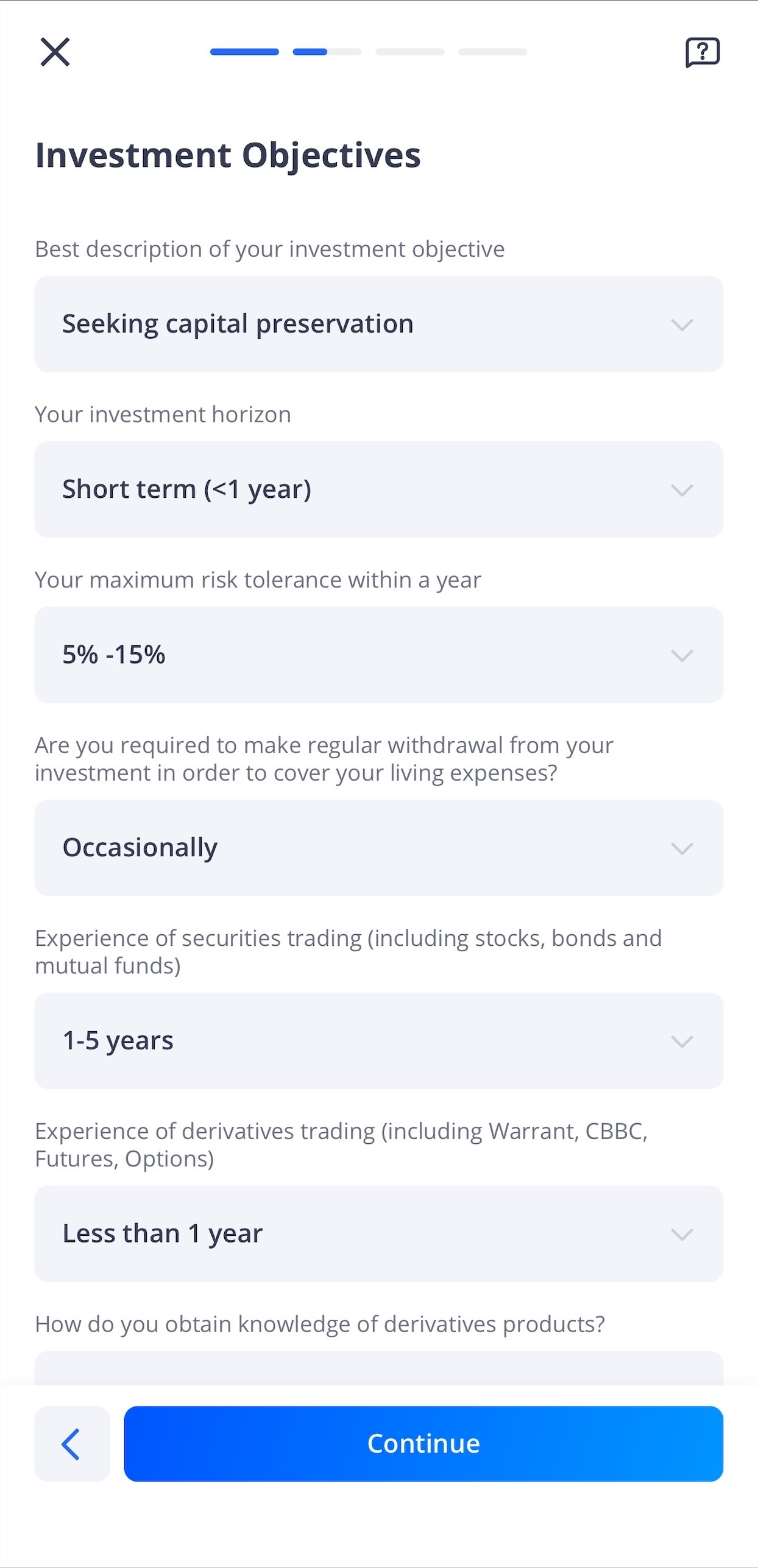
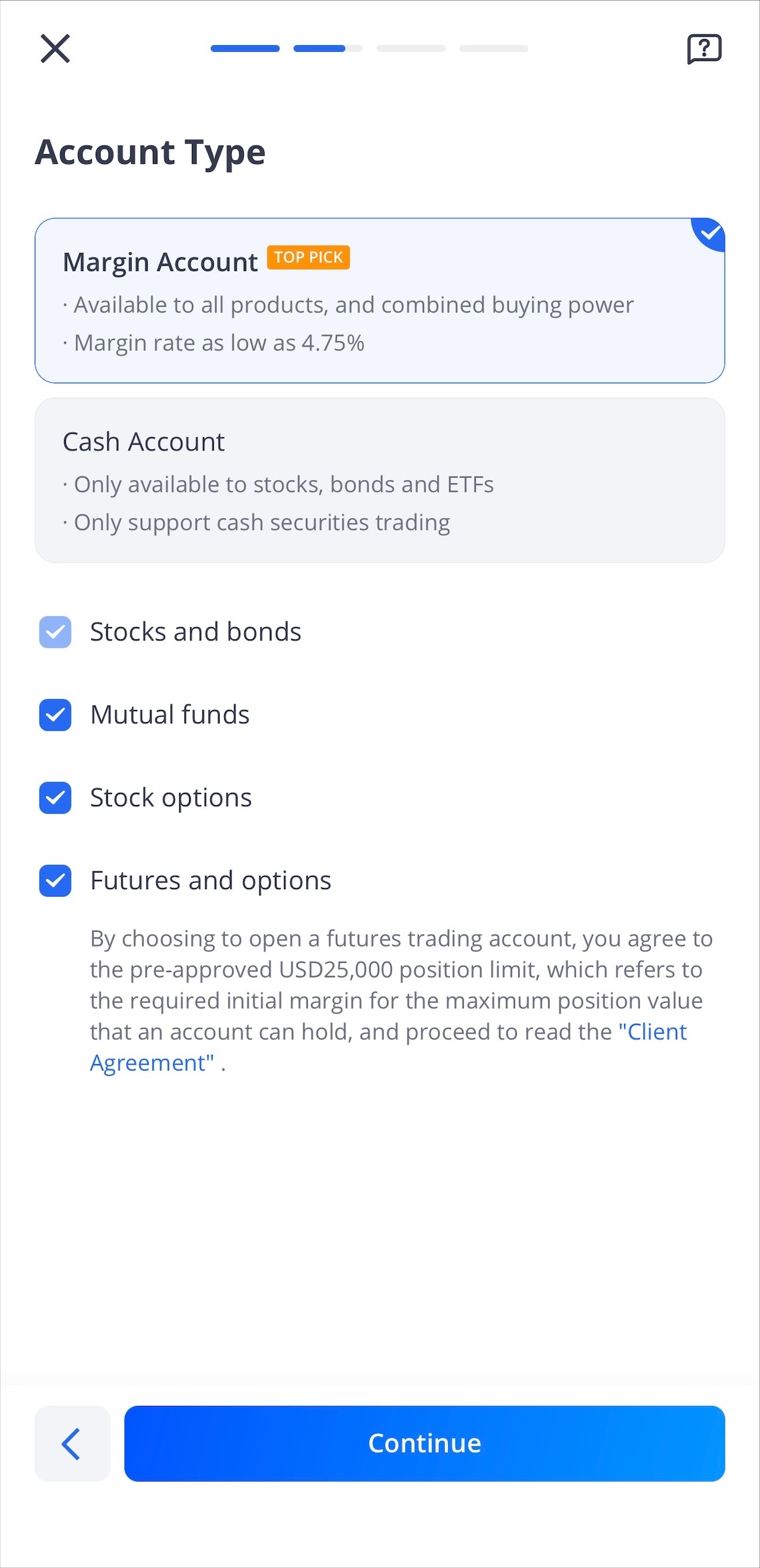
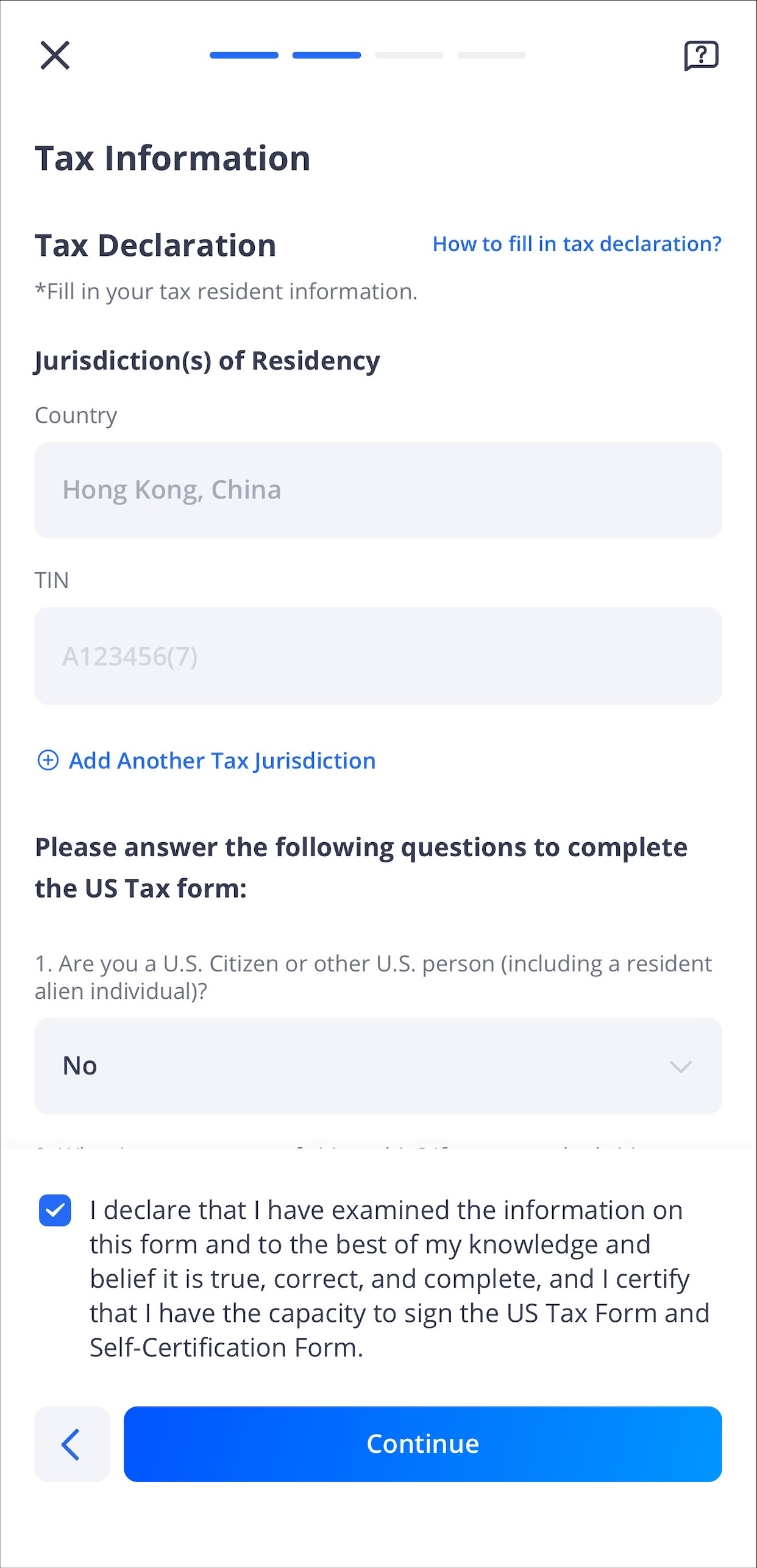
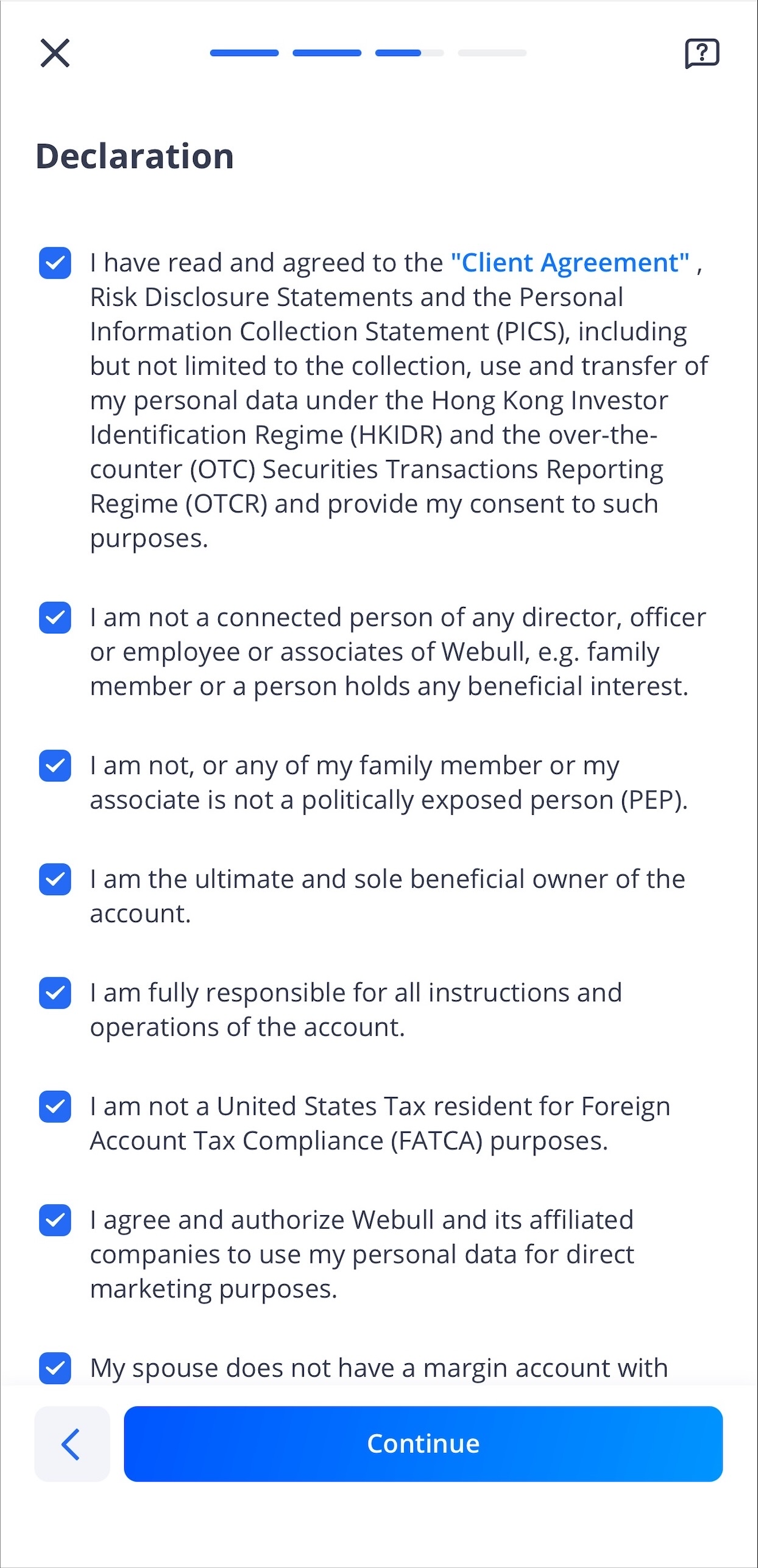
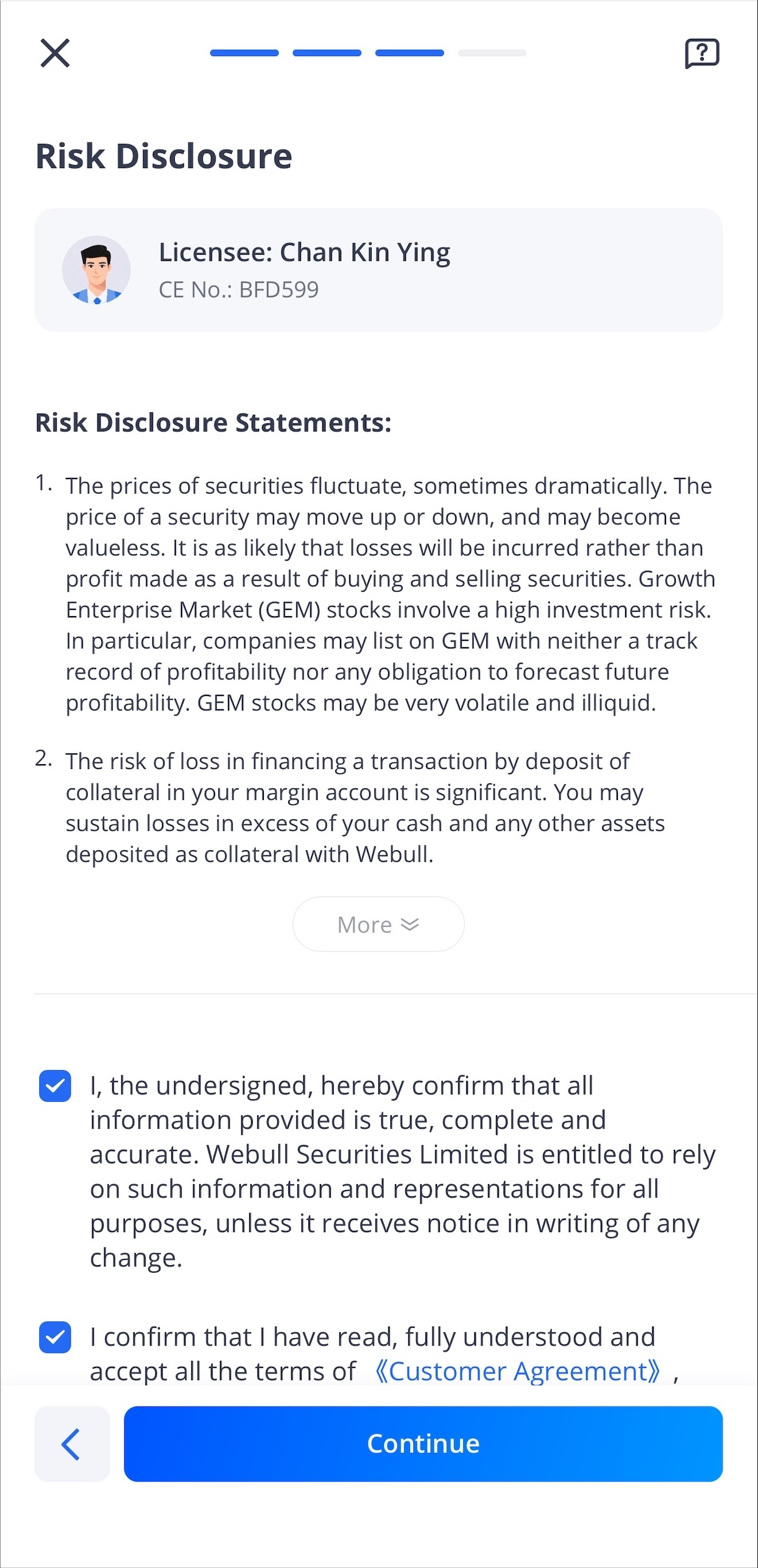
Choose your account type and fill in your investment objectives. |
 |  |  |
 |  |
Step 5: Identity Verification (Online Transfer) You are required to transfer HKD10,000/CNH 10,000/USD 1,300 for identity verification purposes. |
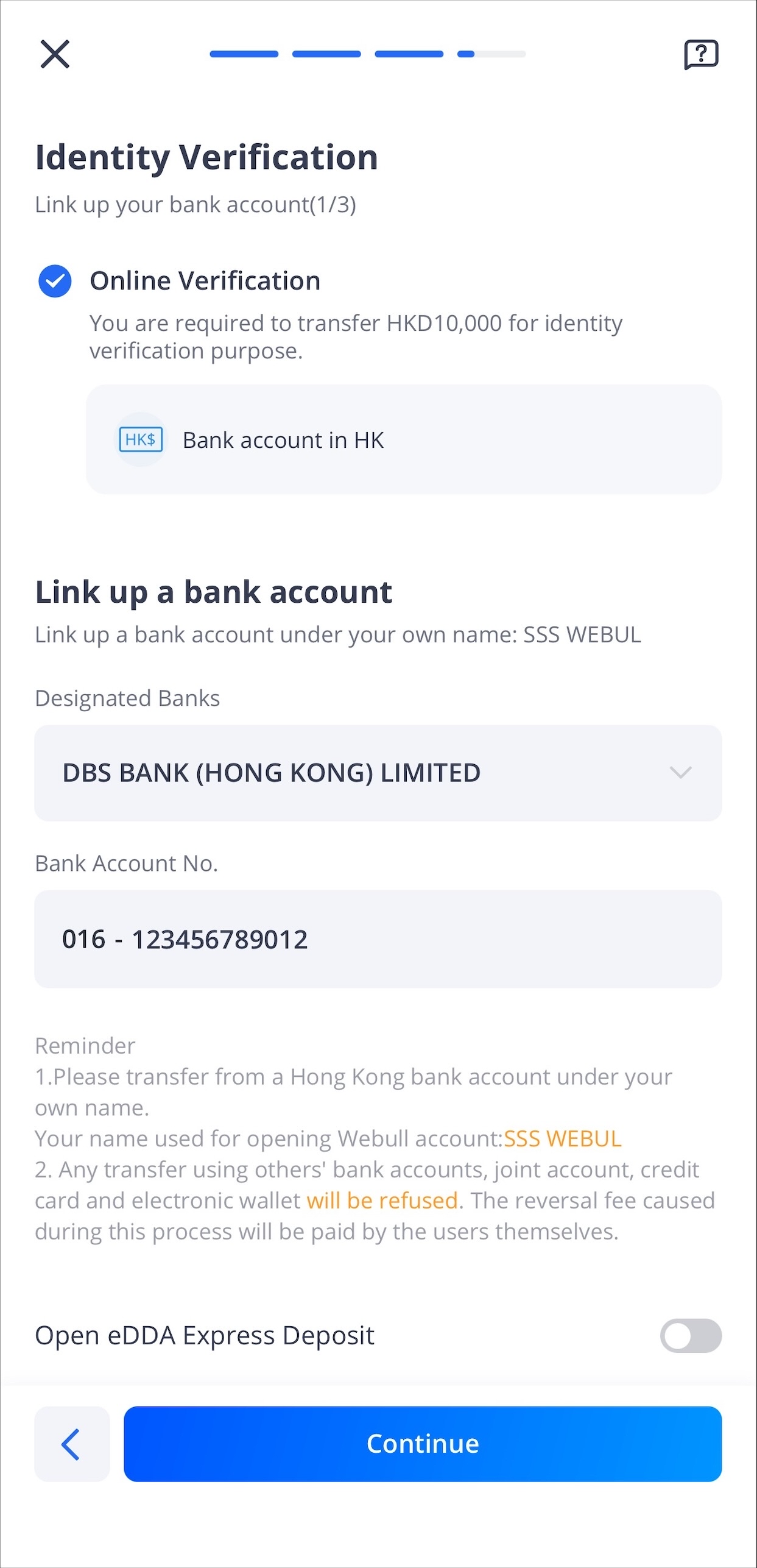 |
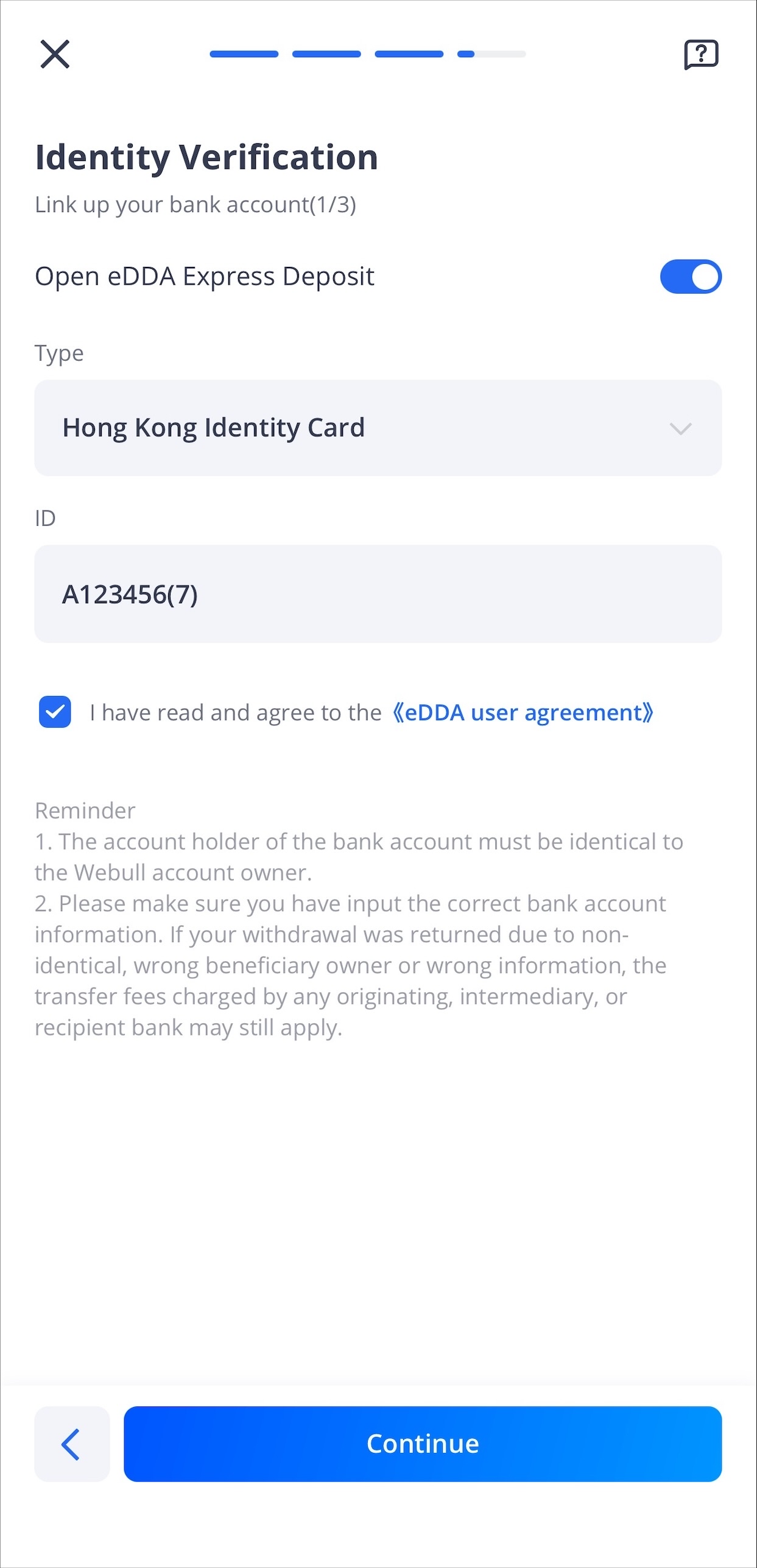
1) eDDA (Electronic Direct Debit Authorization) Currently, eDDA only supports HKD deposits. The name on the bank account must be identical to the name on the Webull Securities account. After you submit the information through the Webull app and complete the eDDA authorization, funds will be debited from the bank account and credited to the Webull Securities account. If you select Hang Seng Bank for eDDA authorization, a real-time SMS verification code issued by your bank will be required to complete the authorization. |
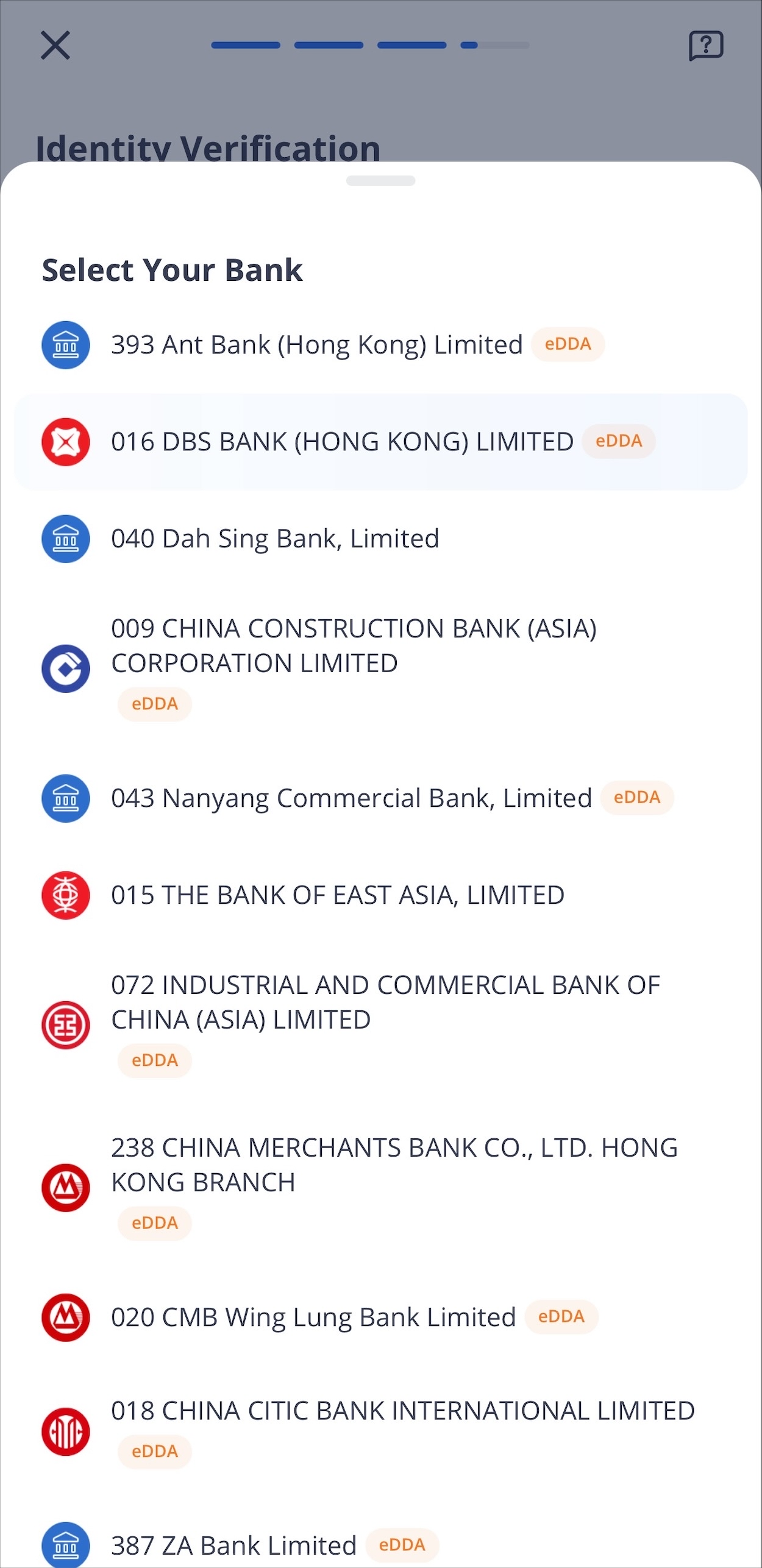 |  |
The listed bank below supports eDDA.
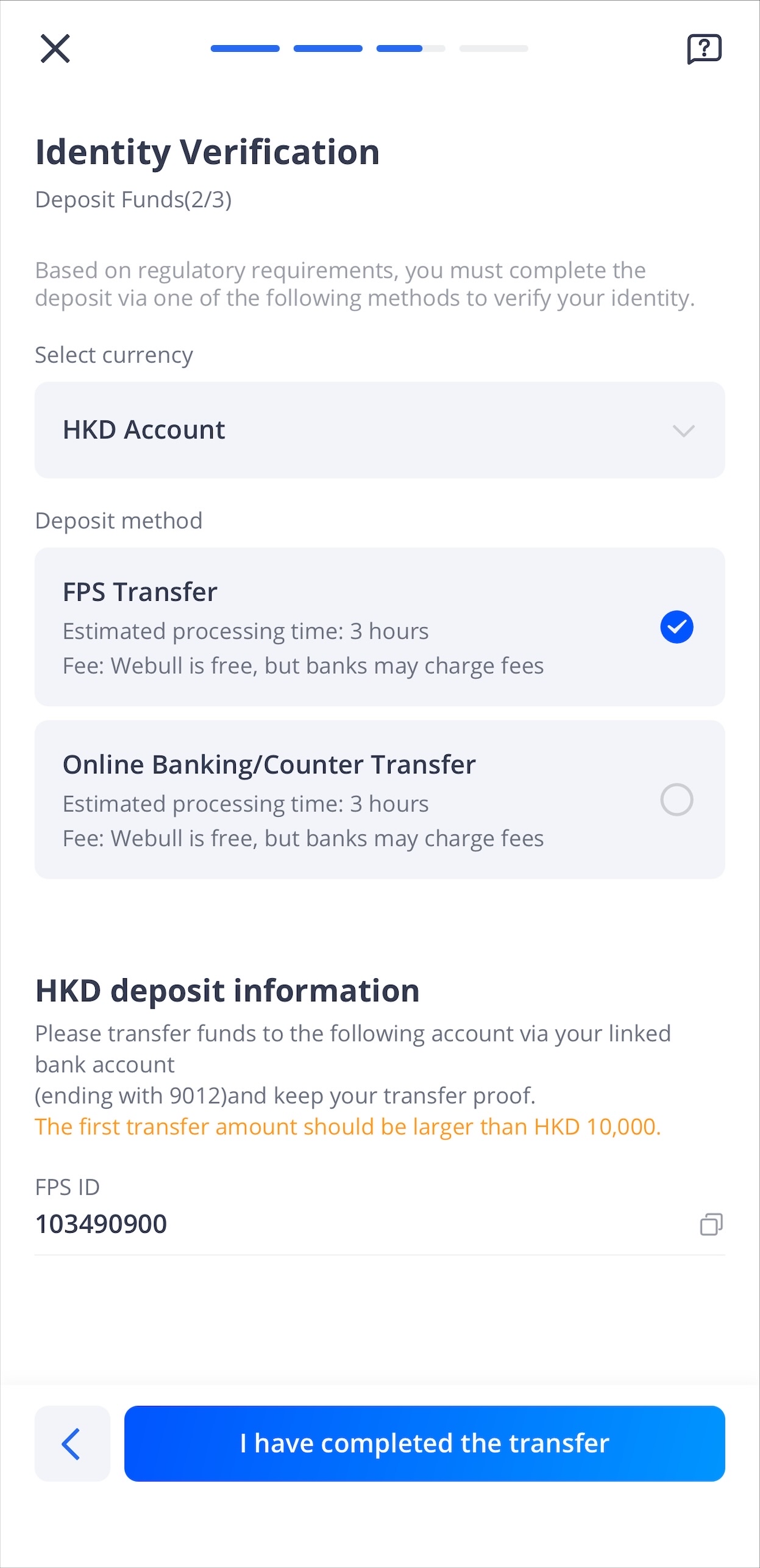
2) Faster Payment System (FPS) Webull supports FPS transfers. The bank account holder’s name must match the name on the Webull Securities account. Customers should initiate a transfer via online banking by entering Webull Securities’ FPSID (HKD only). After completing the transfer, return to the Webull app to submit a deposit notification, enter the deposit amount, and upload the deposit receipt as proof of transfer. |
 |
3) Online banking/Counter transfer You can make a transfer via online banking or at a bank counter by filling in Webull Securities’ beneficiary information. The receiving bank account is CMB Wing Lung Bank. Please ensure that Webull Securities’ beneficiary details are entered correctly. Incorrect information may result in the transfer being rejected, and the refund process may take up to two weeks. You may click the button on the right side of the beneficiary information to copy it directly. |
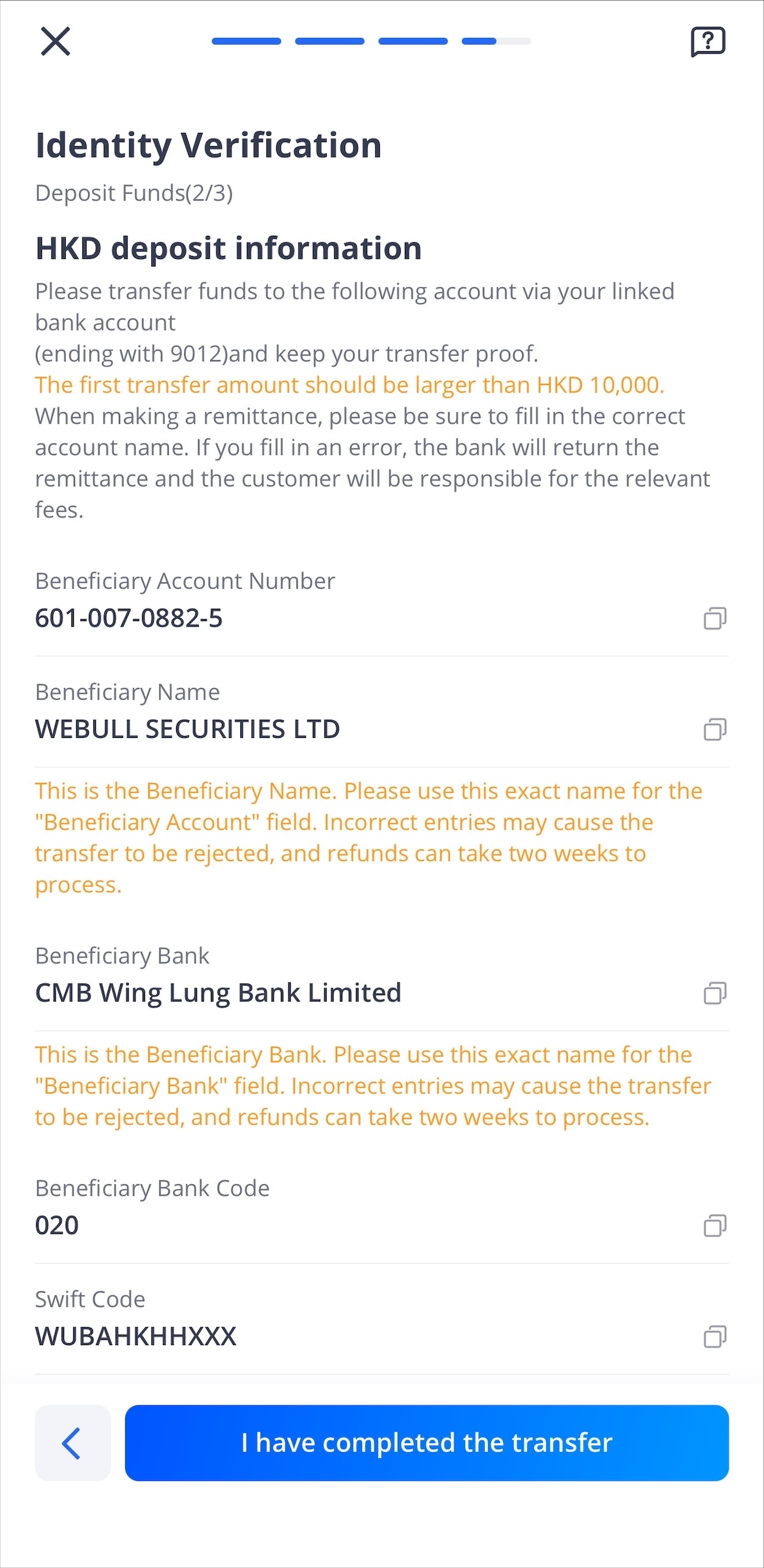 | 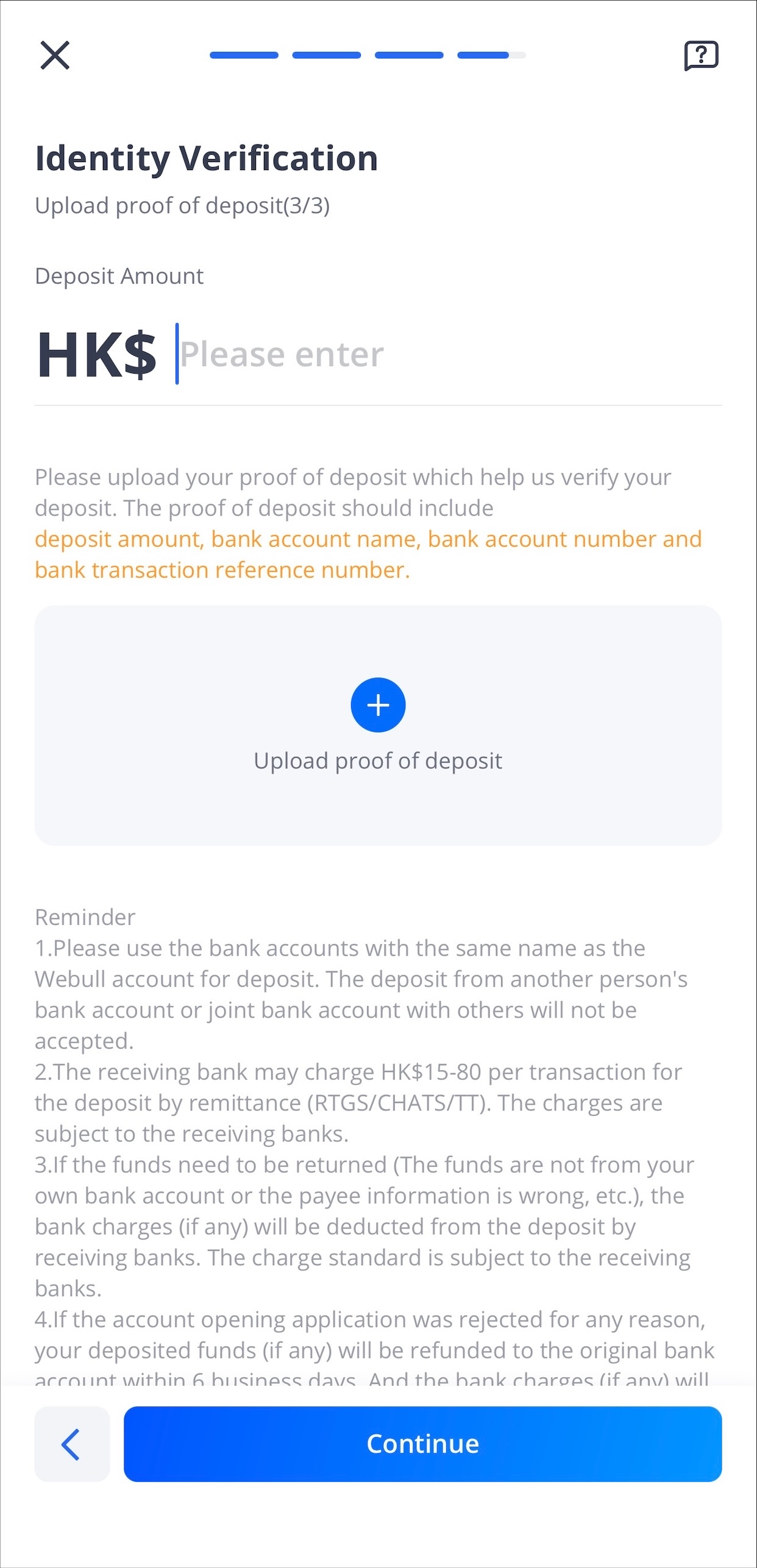 |
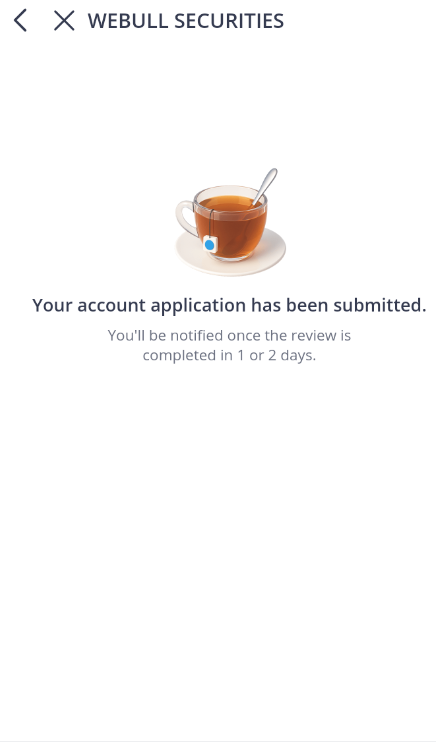
Step 6: Submit your application. Kind reminder: The account opening process usually takes 1-2 business days. Once successful, you will be notified via the app or email, so please keep an eye out for the notification |
 |
Contact Us
Contact Number :+852 3852 8500Webull Securities Limited is licensed with the Securities and Futures Commission of Hong Kong (CE No. BNG700) for carrying out Type 1 License for Dealing in Securities, Type 2 License for Dealing in Futures Contracts and Type 4 License for Advising on Securities. This should not be construed as an investment advice and does not constitute an offer, solicitation, opinion, or any guarantee of any investment product, nor does it constitute any investment recommendation. Investments involve risks, Investment products prices are subject to fluctuation and may rise or fall (including the possibility of loss of the capital invested). Past performance is not indicative of future results. Before making any investment decision, investors should carefully consider your own risk tolerance, financial situation, investment experience, and objectives, or consult professional investment advisors to make a rational decision.

English