
- Deposit Transfer Guide (General)
- Withdrawal
- Stock Transfer
FPS Deposit Guide
1. What is the Faster Payment System (FPS)? To address the increasing market needs for more efficient retail payment services, the HKMA has launched the Faster Payment System (FPS) on 17 September 2018. All banks and e-wallet operators in Hong Kong can participate in the FPS. The FPS enables their customers to make cross-bank/e-wallet payments easily, by entering the mobile phone number or the email address of the recipient, with funds available to the recipient almost immediately. The FPS operates on 24x7 basis and supports payments in the Hong Kong dollar and the RMB. Advantages of FPS:
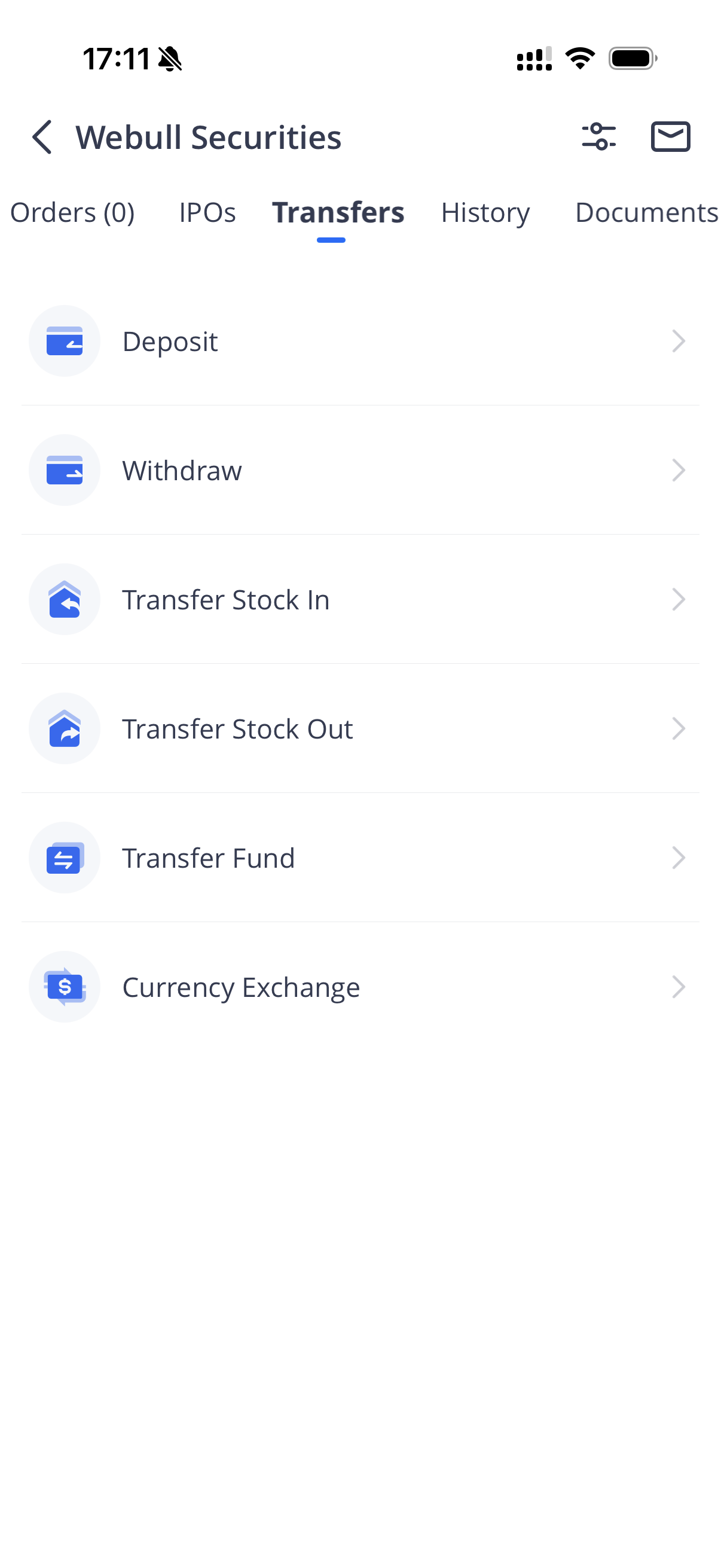
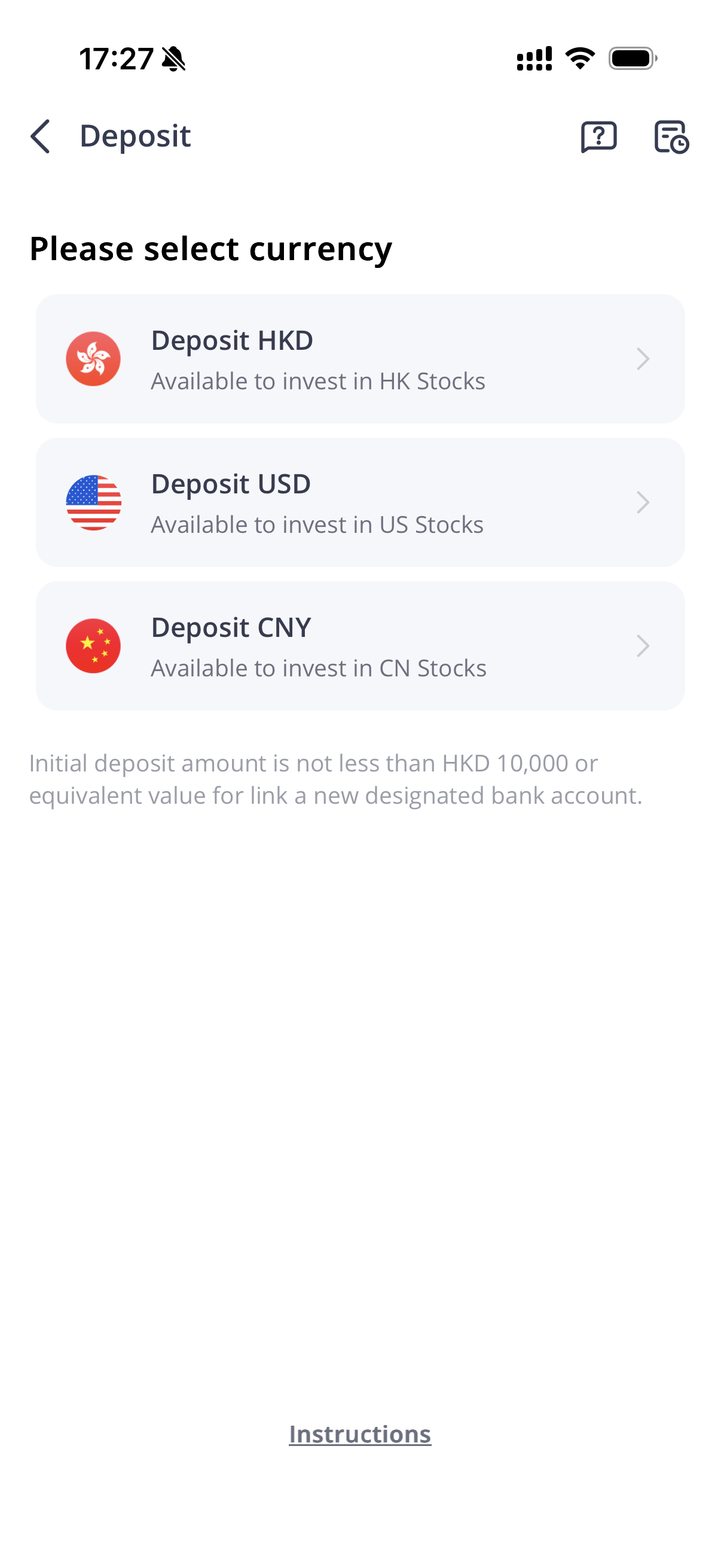
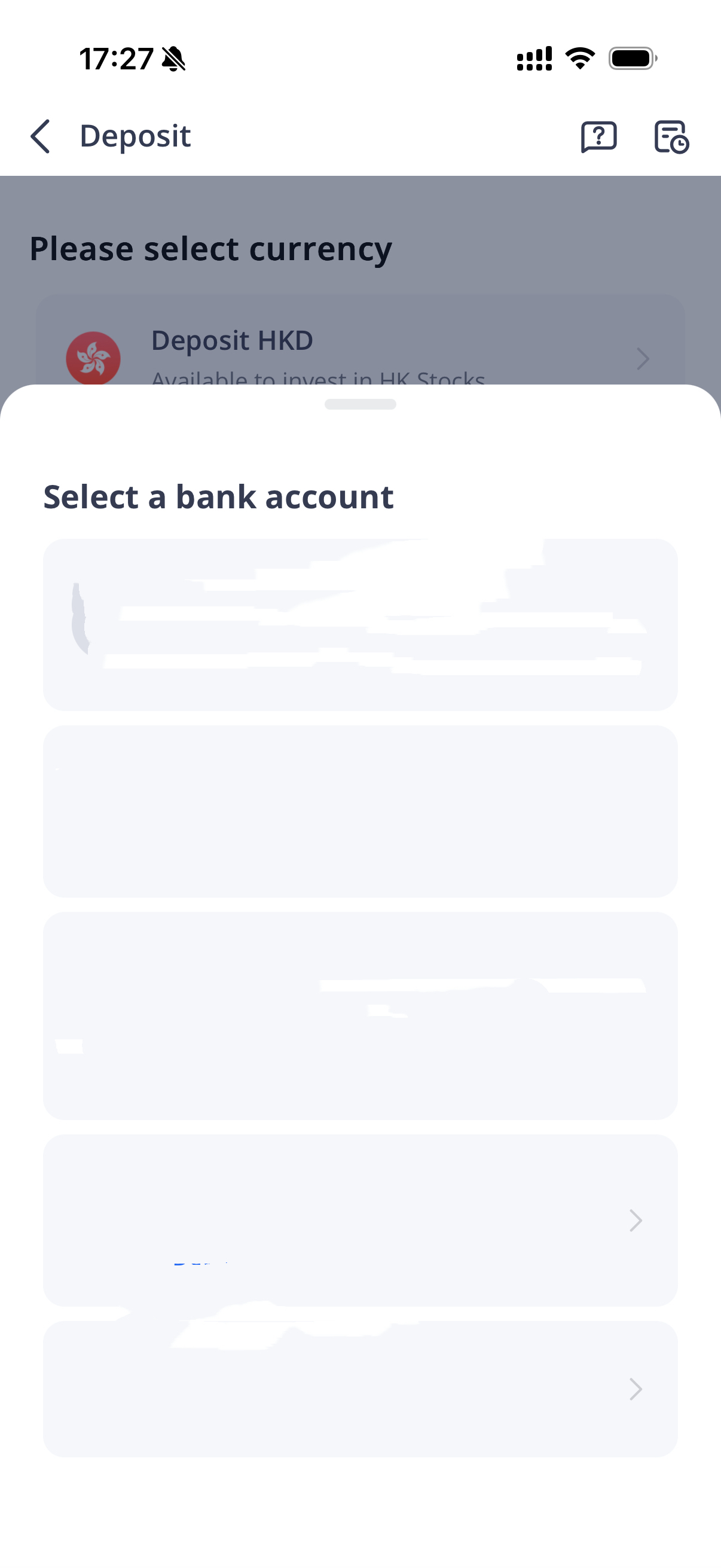
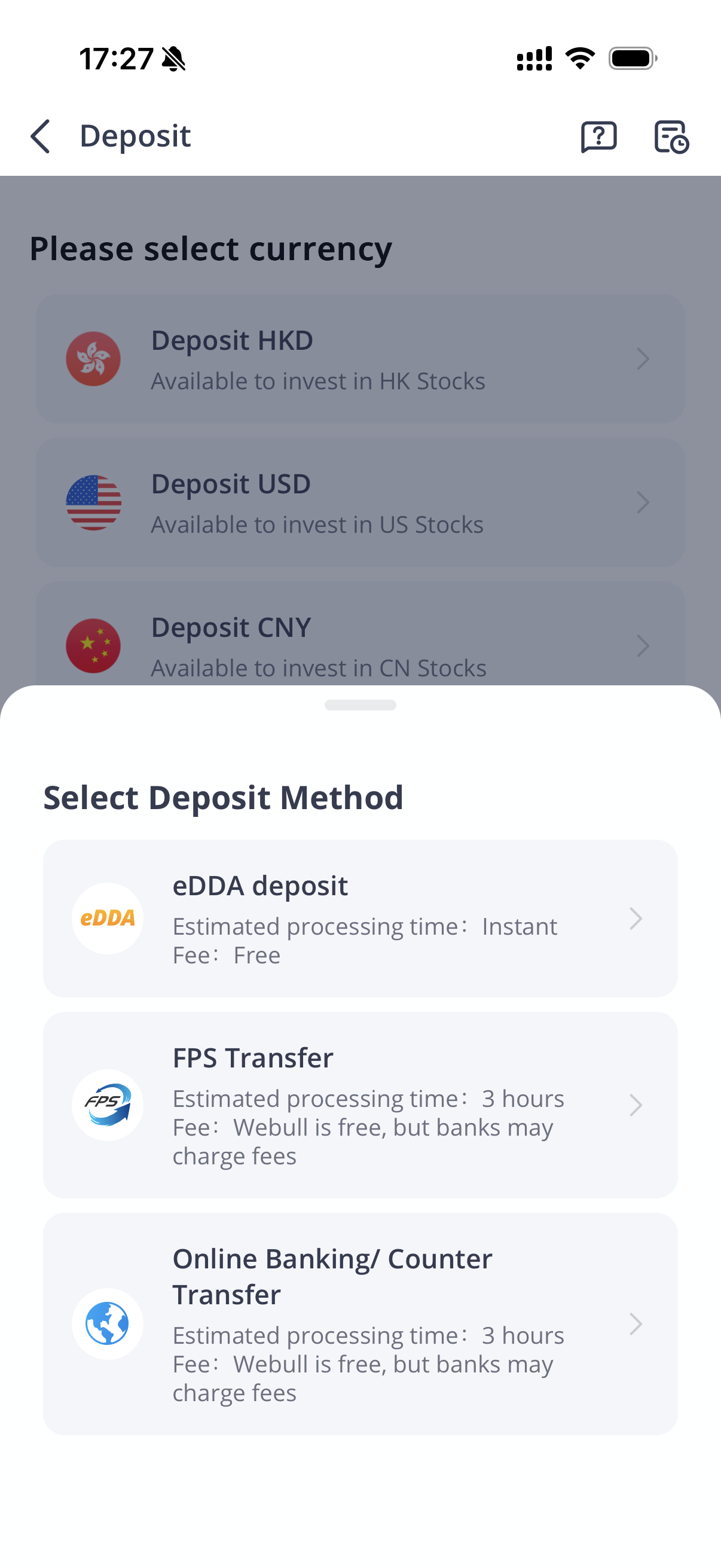
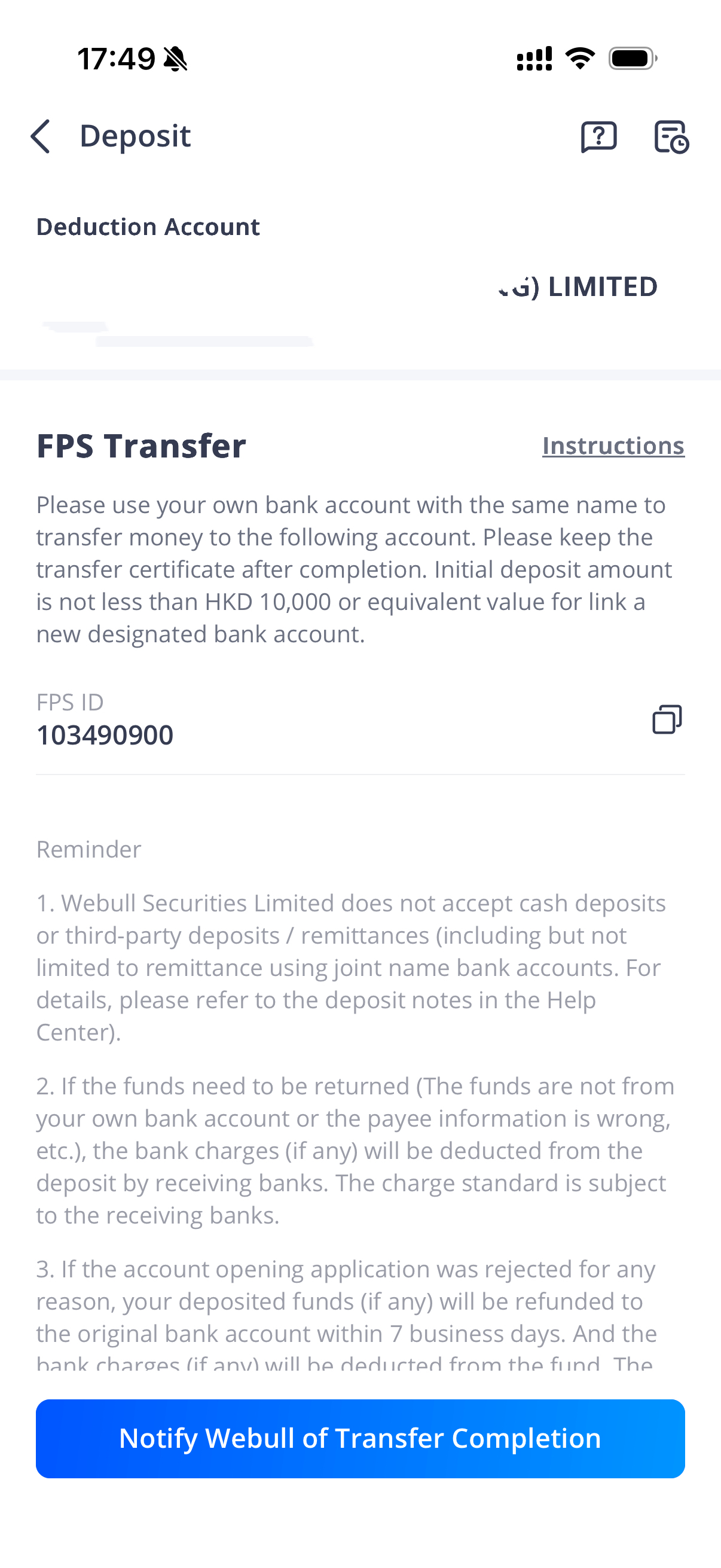
2. How to imitate a transfer via FPS? 2.1 Webull FPS Payment Details HKD: FPS: 103490900 Receiving bank account information: The Hongkong and Shanghai Banking Corporation Limited(HSBC) 2.2 Transfer via Online Banking Log in to online banking >> Select "FPS (Faster Payment System)" >> Enter Webull's FPS ID to complete the transfer. After the transfer is completed, please take a screenshot of the successful transfer page to notify Webull to verify receipt. 2.3 Submit Deposit Notification via Webull App Notify Webull to verify receipt: After successful remittance, submit a deposit notification through the Webull App. If no deposit notification is submitted within 5 business days, the funds may be refunded. Steps: HKD Deposit: Webull Account >> Webull Logo >> Transfer >> Deposit - Deposit HKD >> Select Transfer Bank >> FPS Transfer >> Notify Webull of Transfer Completion |
 |  |  |
 |  |
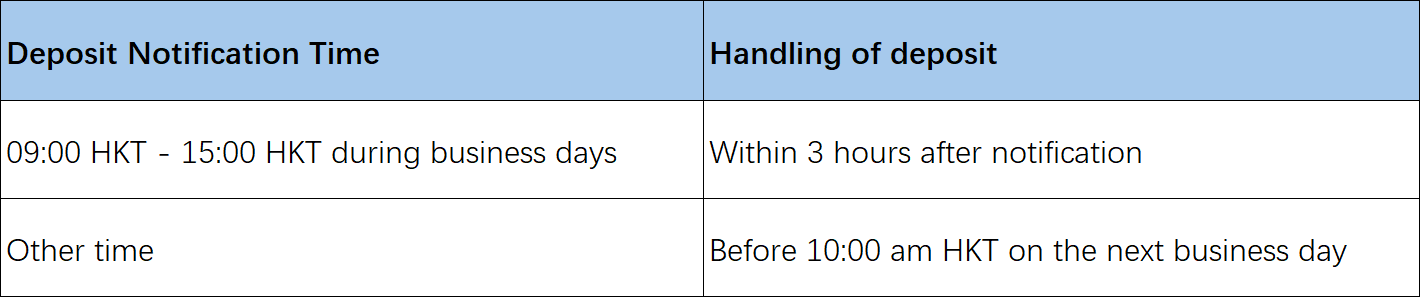
3. FAQs of FPS 3.1 Estimated time that the FPS deposit requires to settle |
 |
3.2 Does FPS charge any fee for its use? Webull does not charge any fees for deposits. Please contact your banks for information on fees regarding fund transfer services. 3.3 How to check the deposit history? You may check the progress of fund deposits and the estimated completion time in the transaction history at any time. Steps: Webull App - Webull Logo - History - Fund Records |
Contact Us
Contact Number :+852 3852 8500Webull Securities Limited is licensed with the Securities and Futures Commission of Hong Kong (CE No. BNG700) for carrying out Type 1 License for Dealing in Securities, Type 2 License for Dealing in Futures Contracts and Type 4 License for Advising on Securities. This should not be construed as an investment advice and does not constitute an offer, solicitation, opinion, or any guarantee of any investment product, nor does it constitute any investment recommendation. Investments involve risks, Investment products prices are subject to fluctuation and may rise or fall (including the possibility of loss of the capital invested). Past performance is not indicative of future results. Before making any investment decision, investors should carefully consider your own risk tolerance, financial situation, investment experience, and objectives, or consult professional investment advisors to make a rational decision.

English